My Shift setup - built around a clean, minimalist workflow

Hey guys,
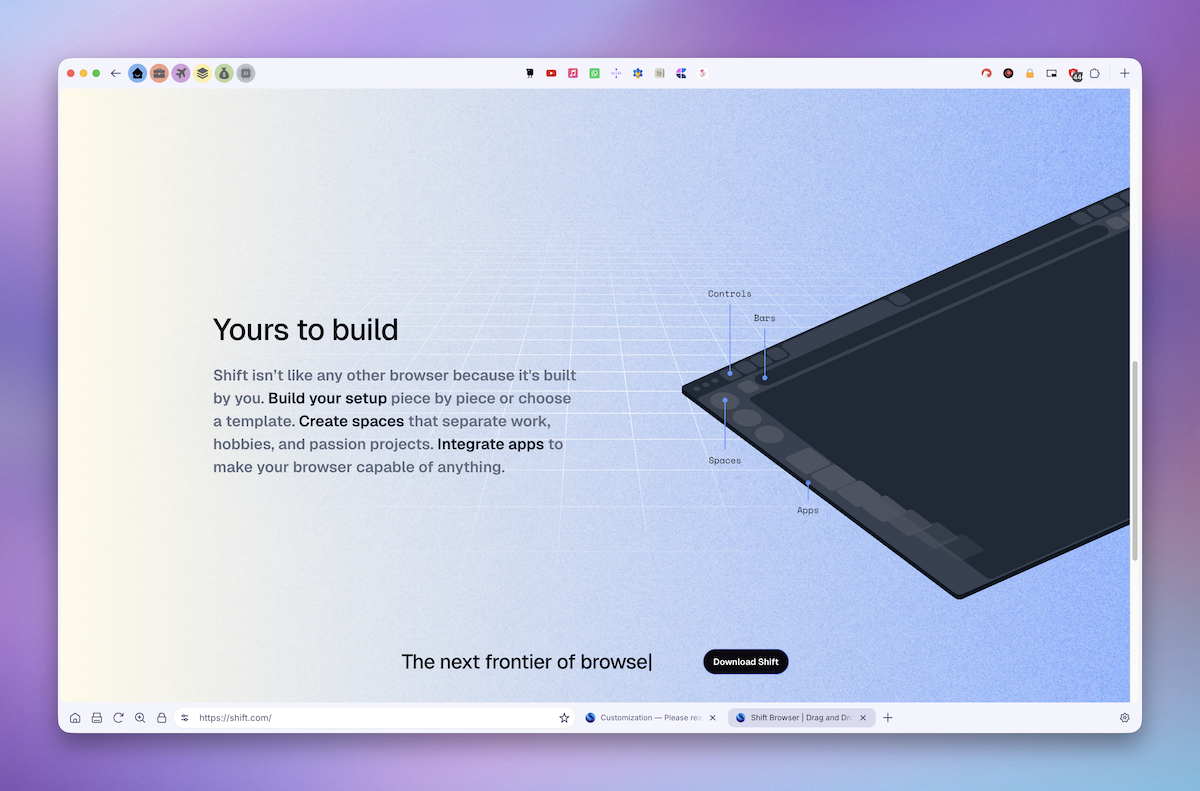
Let me share my Shift setup, built around a clean, minimalist workflow
I use 6 dedicated workspaces — Personal, Work, Travel, Design, Financial, and AI Tools — all placed on the top left bar for quick access.
Each workspace contains only a limited number of apps, shown in the top center as the main hub of my flow, so every workspace stays focused on its specific purpose.
On the right side, I keep only the essential Chrome extensions.
I also removed side panels and extra controls, so the browser stays visually clean and gives me maximum screen real estate for actual work.
The bottom bar is kept minimal too, just for basic search. In general, I’m not a fan of having lots of tabs open, and I don’t use Favorites at all. If something is valuable enough, it becomes an app inside the right workspace. If not, I just find and open it when needed.
I hope, it may inspire anyone here. Ciao.
Comments
0 comments
Please sign in to leave a comment.