Can't delete long names when importing Spaces

Just downloaded Shift for the first time. Decided to import data from Browsers.
On the “Create your Spaces” screen, got this big name imported (I can't see fully, but not a problem)
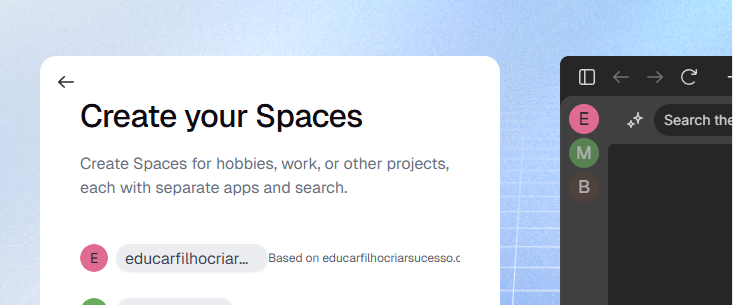
The issue is: If I hover my mouse over it:
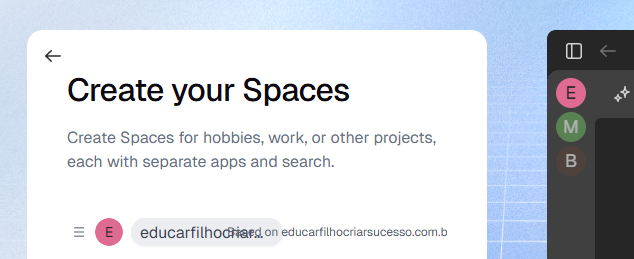
The trash button never showed up when the imported name is too long.
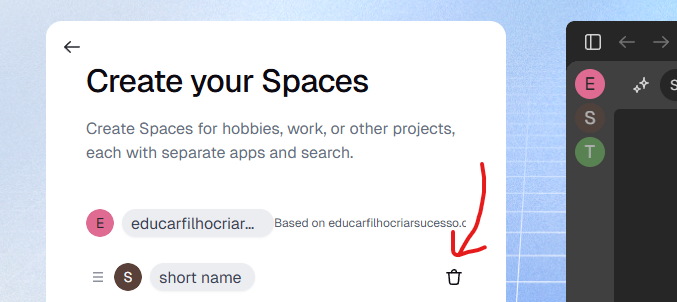
Not a great experience for new users. Please allow me to delete it.
Comments
3 comments
Hey everyone,
Just an update, we found that this is, unfortunately, a bug. We'll keep everyone posted in the respective channels once a fix gets released.
Thanks for your patience!
Hi maxmdps, thanks for sharing your issue with us. We have created a ticket to investigate this further and will continue to communicate with you through it.
That long name is definitely a UX oversight. The trash icon should appear. For now, try shortening the name first, then the delete option might show. Hope the Shift team fixes this soon!
Please sign in to leave a comment.